Every Buyer. Every Invoice. Paid Online.
If you sell metal, you already know the sale isn’t done when the order ships. It’s done when the money lands.
For too many metals companies, that last step is still the slowest one. Invoices go out in the mail. Checks come back in the mail. Days of float turn into weeks of waiting, and your AR team spends its time chasing paper instead of closing the books. You can quote in minutes and ship on time and still wait a month to get paid.
That’s exactly why Online Payments is a foundational module included in every Stella Source tier, not a paid add-on. Powered by Stella Pay, it’s built for how metals teams quote, invoice, and get paid: the same platform that wins the order collects the cash. Invoices generate automatically, buyers pay online with a single click, payments match to invoices on their own, and funds sweep straight from your Stella Pay account to your operating account.
Quotes turn into cash faster. Cash flow gets stronger. And your back office stops chasing.
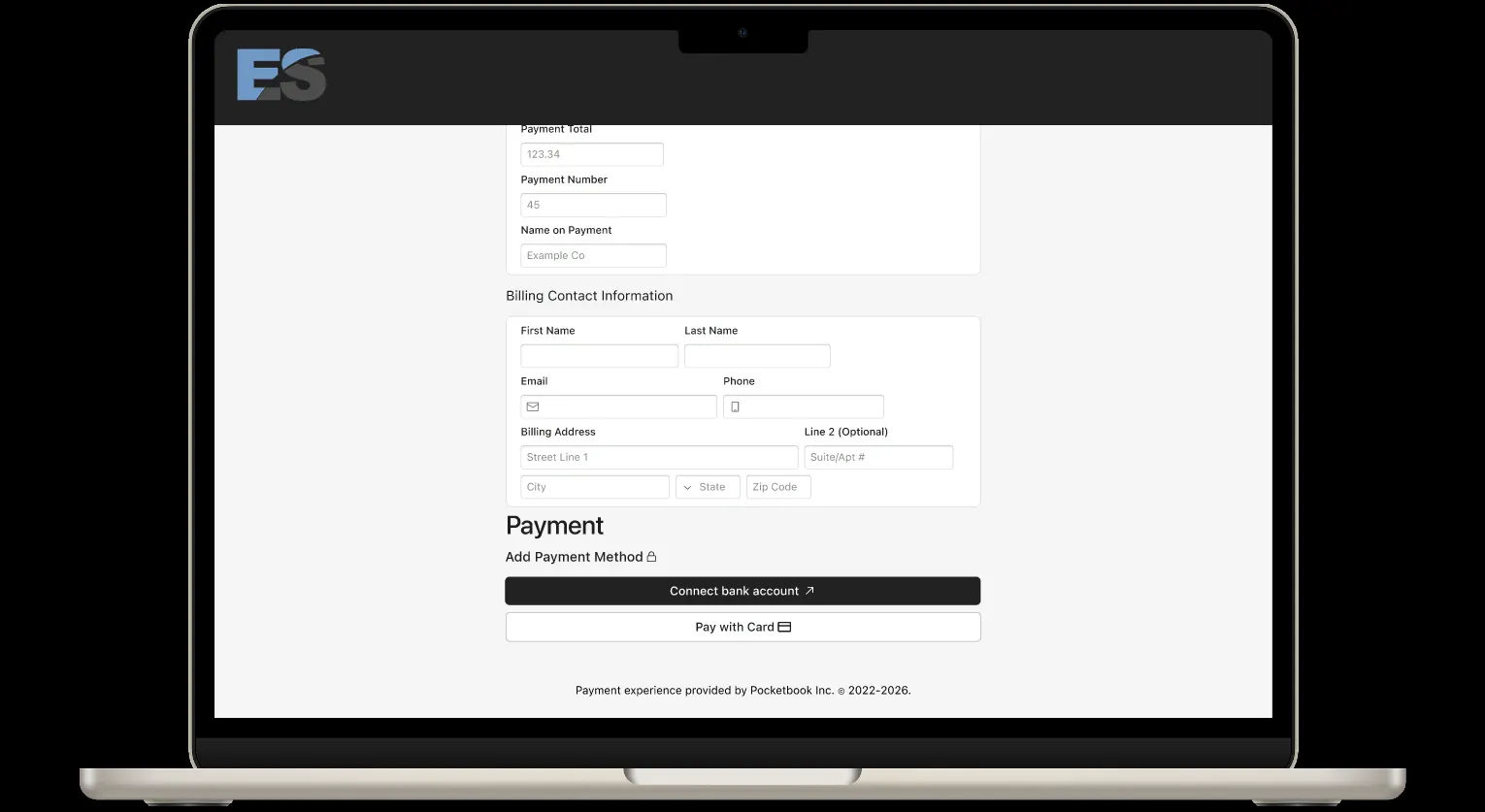
Now the module covers even more of how buyers actually want to pay: it supports credit and debit card payments alongside ACH. More ways to pay online, and every payment still runs through one platform.
Here’s what’s new.
More ways to pay online
Credit & Debit Card Payments
The Online Payments module now supports credit and debit card payments in addition to ACH. When card payments are turned on, they’re available across every QuickPay checkout experience — so wherever a buyer meets an invoice, every payment option you offer is right there:
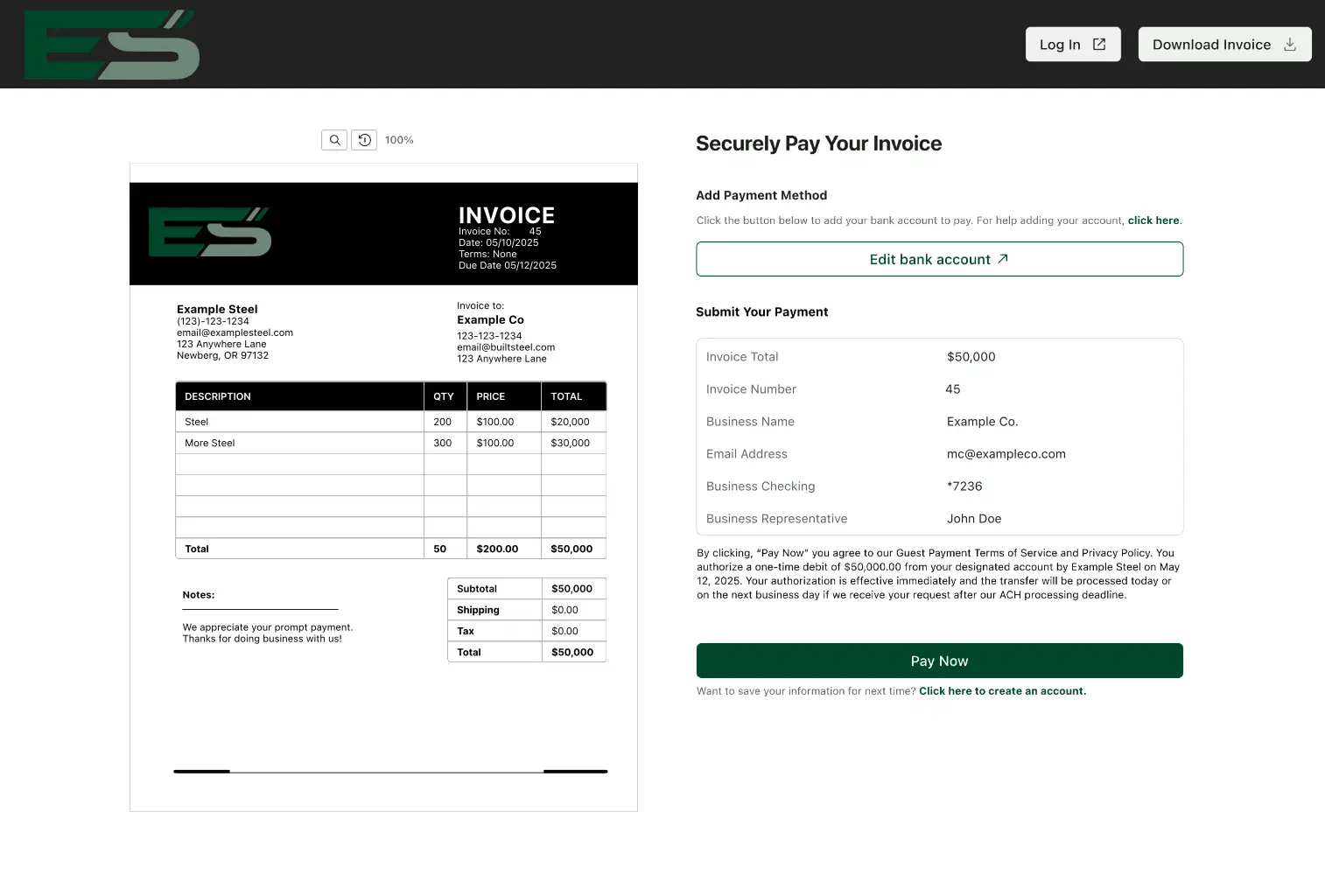
- Direct from invoices — Send invoices with a click-to-pay link to simplify payment for your customers, no login required.
- Branded payment page — A “Pay Now” button on your website that accepts payments instantly.
- Customer payment portal — A branded portal where repeat buyers can save payment info and view outstanding invoices.
- Digital payment links — Flexible links you can drop into emails, digital assets, or invoices sent from other tools.
What this means for your business:
- A complete set of online payment options, ACH and cards, from one module.
- A streamlined process for invoicing, tracking, and reconciliation, whichever way a payment comes in.
- Full control over which payment options you offer and accept.
The workhorse: one link that carries your whole back office
Digital Payment Links
Digital Payment Links deserve more than a bullet — they’re the single fastest way to move your receivables online.
A payment link isn’t a page you send buyers to. It’s a payment method you can put anywhere your business already touches customers: your email signature, the footer of an invoice from your ERP or accounting tool, your website, even a QR code on a printed invoice riding in the truck with the load. If a buyer can see it, they can pay it.
The link carries the whole module with it. Every click opens QuickPay checkout with all your available payment options. Every payment triggers an instant confirmation and receipt, feeds your real-time dashboard, and matches to the right invoice. Reminders for overdue invoices go out on their own. So your buyer clicks once, and your back office does nothing at all.
What this means for your business:
- Move receivables online without changing your invoicing stack — the link goes where your invoices already go.
- Every payment initiated through a link flows through the same tracking, notifications, and reconciliation automatically.
- Collect on anything: new invoices, old invoices, even ones sent from other systems.
Minimal change for your team. Live on day one.
Day-One Setup
Here’s the objection we hear most about going digital: “My team doesn’t have time for a new system.” Fair. But this isn’t one.
There’s no long implementation or IT project. Just sign up, link your bank account, and turn it on. Most suppliers are live and collecting online payments the same day — and nothing about how your team works needs to change. You can keep invoicing from the tools you use today and add your payment link to them, or move invoicing — with the payment link embedded — into the module entirely when you’re ready.
What Day One looks like:
- Create and send digital invoices right away — one at a time, in bulk, or by uploading spreadsheets from your existing tools.
- Add a payment link to invoices you’ve already sent from another system. No need to reissue anything.
- Add a “Pay Now” page to your website that includes the payment link.
- Selling through a Stella storefront? Digital payments are already built into your ecommerce workflows — just turn it on.
What this means for your business:
- Go live in minutes — no long onboarding, no IT project.
- No new process for your team. Your current invoicing keeps working, now with an online way to pay.
- Start collecting on day one, including invoices you sent before you signed up.
Don’t force customers to change how they buy
Quick Buy: quoting + payments, working together
This is where the Online Payments module gets even stronger — by combining it with Stella Source’s quoting tools.
Your rep builds a quote the way they already do, from an emailed RFQ, a phone call, or a conversation on the road. With Quick Buy, the buyer can review, accept, and pay that quote from anywhere, including mobile, without creating an account or logging into a storefront. The quote becomes an order becomes a payment, in one step.
No change management for the customer who’s been buying from you the same way for 20 years. No chasing the check afterward for you.
And that’s not even the whole module
Everything above is the checkout side of Online Payments. Behind it sits a full AR toolkit:
- Custom Terms — Net 15 through Net 90, set per customer or per invoice.
- Check Capture — Apply check payments digitally, with no extra trips to the bank.
- Instant Account Connect — Buyers securely connect payment accounts in seconds, no account numbers required.
- Automatic Reconciliation — Online payments match to invoices automatically, with export-ready reports for accounting or ERP uploads.
- Sweeps — Received payments move to your operating account automatically after settlement.
- Dashboard & Payment Analytics — Real-time visibility into cash flow, payment activity, and collections trends.
- User Management — Owner, Admin, and Authorized User roles to control access across your team.
All of it secured with SOC 2 audited controls, PCI-compliant processing, encryption in transit and at rest, and built-in fraud-prevention safeguards.
The Bigger Picture
These updates add up to one idea: every buyer can pay you online, from day one, using whichever payment methods you choose to offer, with a full AR engine running behind it.
Cards join ACH as an available option at checkout. Payment links let customers pay everywhere your business already is. Setup takes minutes, without forcing changes to how your team works. Then payments reconcile, report, and sweep themselves — so more ways to pay never means more work.
Start getting paid the modern way.
Want to see it inside Stella Source?
Book A Demo to see the full Online Payments module in action. Or if you’re already a customer, reach out to your Stella Source contact to explore the latest payment updates today.